B12

Windows 7 forgets more than you know

There is an expression you may be familiar with that goes something like ”I have forgotten more about <insert subject> than you will ever know.” I am sure I heard it in a movie or something. Well, it might be true of Windows 7, at least for now.

I have been running 7 for several days now and these are things I had to setup more than once:

  • Network Printer
  • Wireless Internet Connection
  • Internet Explorer 8 Setup

These are things that usually only have to be setup once and then Windows just remembers the settings and allows you so connect to the Internet, surf with IE and print when needed. I don’t know of another version of Windows that didn’t remember the settings like Windows 7.

read more

Windows 7, Day 1

If you have been paying attention to my blog then you know I don’t recommend Windows 7. I am sure it is an improvement over Vista, but I also suspect it still won’t perform as well as Windows XP.

If you know me at all you also know that I had to try it. So here goes… I loaded Windows 7 Professional on my Laptop today and am in the midst of loading all my software and files etc…

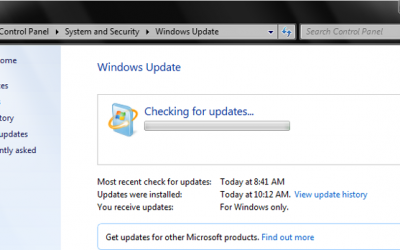
Here is the preliminary boot after some updates – basically fresh after install.

Once I have everything I need running on my laptop again then I will report on my experience and let you know how it performed. Since Windows XP is still loaded on my other drive I can always compare.

read more

Brian Haines recommends Windows XP

I have always been an early adopter of new Microsoft Operating Systems (OS) including Windows Vista. With Windows Millennium (Me) being the obvious exception each OS prior to Vista has been an improvement over the last. I was an early Windows 2000 convert, so I never had to use Windows Me, and Windows 2000 was a major improvement over Windows 98 and Windows Me. Windows XP even better and then Vista, not so much.

I finally removed Windows Vista from my desktop computer and reverted to Windows XP. I would ordinarily suffer through the temporary troubles until Microsoft released updates that cured it’s ails. The main reason for removing Windows Vista was simply poor performance. Oh, I had issues, like always having to print twice to get one print, and not being able to print 100 pages, but rather have to send 100 individual pages to the queue – very frustrating! All-in-all though I expected those issues to get resolved, and they did. Vista is simply slow. Much slower than XP on the same hardware and with no major improvement to make the slower system worth it.

read more

Outlook file location

“Where on the disk is my Outlook data?”

I like when I hear this question because it is often only asked when people are looking to add it to their backup routine. The most important thing to backup is the Outlook.pst file (and any other .pst files in the folders below)

No matter what version of Outlook you have the files are located in one of two locations depending on what Operating System you are using. If you have Windows Vista then the files are located here:

%USERPROFILE%\AppData\Local\Microsoft\Outlook

The above path usually translates to C:\Users\<username>\AppData\Local\Microsoft\Outlook

Backup the Outlook folder to be sure you get all .pst files.

For Windows XP the path is:

%USERPROFILE%\Local Settings\Application Data\Microsoft\Outlook

Translated C:\Documents and Settings\<username>\Local Settings\Application Data\Microsoft\Outlook

If you are looking to verify your backup, don’t try to open the Outlook.pst file, simply check the file date and the relative size to your current .pst file. To restore data use File>Import/Export in Outlook.

Oh, and if you are looking for Outlook Express files things get a bit more complicated. Some day I will edit this and add OE file paths.

read more

config/system and then lsass.exe error

It happens from time to time that I get a call about a computer that won’t start because of the file windows/system32/config/system is missing or corrupt. Although there are not just a few clicks of the mouse I rattle off the top of my head and BAMB your system is working again but, it is not a big deal.

I come on site (prepared with Windows XP disk), I boot to the recovery console, I copy the missing file from the repair folder, and I never have to remember the exact steps as I bring my laptop do a quick Google search and in a few clicks I have a page detailing the process.

read more

I’m home!

I returned this afternoon from a much needed vacation. I went to the Jersey shore to meet up with my brothers, an uncle and some cousins. We had a really nice extended weekend of eating, playing cards, eating, crabbing, and eating.

Interestingly enough we had Internet access via several access points that lacked security. This may seem like a good idea, after all we were neighbors, but as a rule you should protect your bandwidth. Not only because of the security of your Internet traffic, but also because people can use your account to do things they wouldn’t want traced back to them. Things like downloading pirated movies, or sending spam could have your Internet provider asking questions or suspending your service.

I was happy to have access for the few times it came in handy, so thanks neighbors.

read more

I am on Vacation!

Hello friends! I am on vacation until Tuesday, September 29th. Leave your computers off until then.

read more

Antivirus + Discerning User

The best protection for a non corporate, personal computer is good antivirus software and a discerning user. Although the former is critical, never underestimate the later.

When a user is working with a stand alone personal computer they nearly always have permissions to install software. As such they are ultimately responsible for the security of the computer. There isn’t a program in the world that you could install that would protect you against all threats. You are part of the computer security. No Internet Firewall or anti-spyware program will ever protect you as well as you can protect yourself. I will take some heat for this from other so-called experts, but my experience has demonstrated that the most prevalent threats get installed on computers no matter what major security suite you have installed.

read more